StellaryStellaryBeta
FeaturesHow It WorksPlansBlog
Overview
Concepts & architecture
Getting Started
Workspace, project, context, and tokens
API Reference
Backend routes, auth, and models
MCP Integration
MCP clients, agents, and workspace tools
FAQ
Sign inTry for free
FeaturesHow It WorksPlansBlog
Documentation
Overview
Concepts & architecture
Getting Started
Workspace, project, context, and tokens
API Reference
Backend routes, auth, and models
MCP Integration
MCP clients, agents, and workspace tools
?
FAQ
Sign inTry for free
StellaryStellary

The multi-agent command center for teams that ship.

Product

  • Features
  • How It Works
  • Plans
  • Blog
  • FAQ

Developers

  • Documentation
  • API Reference
  • MCP Integration
  • Getting Started

Company

  • About
  • Product ambitions
  • Editorial policy
  • How we compare tools
  • Legal Notice
  • Terms of Service
  • Privacy Policy
  • Cookie Policy
  • DPA

© 2026 Stellary. All rights reserved.

Legal NoticeTerms of ServicePrivacy PolicyCookie PolicyDPA
Back to blog
productannouncementbeta

Stellary Beta Is Open

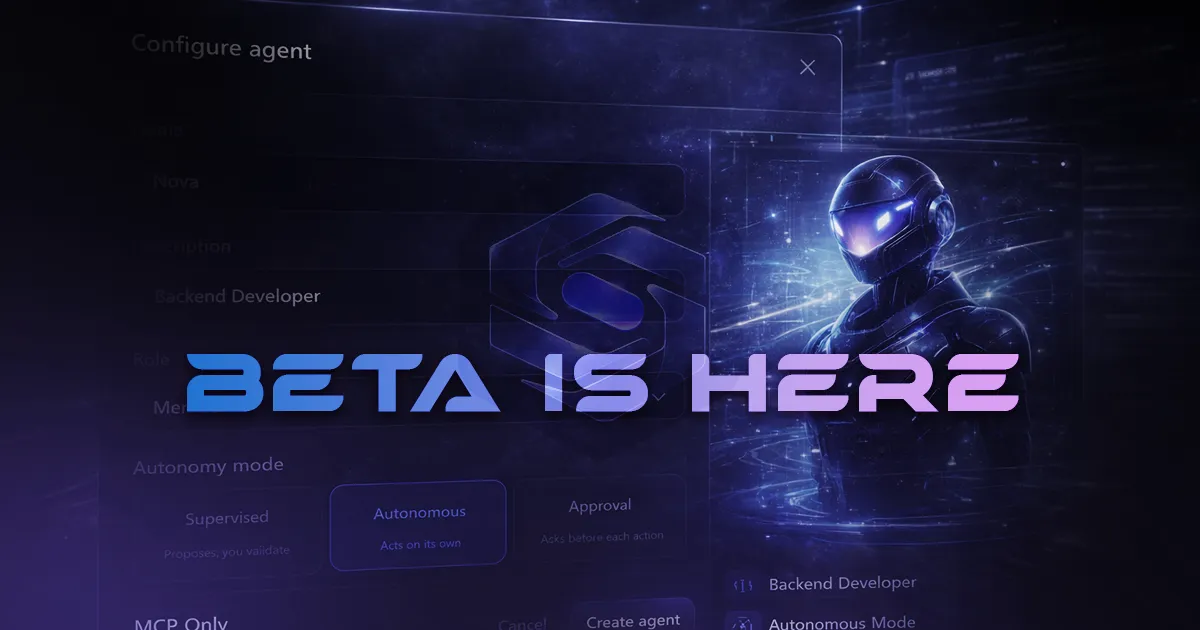
The Stellary beta is live with delivery, documents, cockpit, AI agents, MCP, plugins, skills, pipelines, automations, API access, and workspace governance. We are looking for beta testers through Discord.
Stellary Editorial DeskApril 10, 20266 min read
Stellary Beta Is Open

The Stellary beta is open.

The product is now broad enough and structured enough to welcome real teams, real workflows, and most importantly real feedback. If you want a workspace where delivery, documentation context, cockpit-style pilotage, AI agents, and MCP all live inside the same system, this is the right moment to try it.

We are actively looking for beta testers. If you want beta access, join the Stellary Discord and apply directly with your context, your team, and what you want to test.

What You Can Test in the Beta Today

1. Product structure and governance

Stellary is built around a simple operating hierarchy: organization, workspace, project.

  • Organization and workspace management
  • Projects attached to a workspace
  • Members, invitations, and roles
  • Surface-based permissions and granular RBAC
  • Workspace, team, and access settings

If you want the framing first, the docs overview explains the operating model.

2. Delivery core: projects, scopes, views, and cards

The heart of Stellary is real delivery. It is not just a ticket list. A project connects work, context, and pilotage.

  • Projects with scopes and delivery structure
  • board, list, calendar, timeline, and stats views
  • Columns and workflow organization
  • Cards with status, priority, dates, labels, and custom fields
  • Human or agent assignment
  • Checklists, subtasks, comments, attachments, and linked documents
  • Card context that agents can actually use

The Board & cards guide covers this layer in detail.

3. Documents and work context

Stellary includes a real documentation layer instead of forcing your context to live somewhere else.

  • Workspace knowledge base
  • Project documents
  • Card-linked documents
  • Document types for specs, notes, guides, ADRs, runbooks, and templates
  • Documentation that supports both humans and agents
  • Context linked directly to delivery rather than separated from execution

The Knowledge Base guide shows how this works in practice.

4. Cockpit and pilotage

The board shows work in motion. The cockpit is where you steer execution.

  • Context profiles
  • Active priorities
  • Missions
  • Todos
  • Decisions
  • AI-proposed actions
  • Health signals, live activity, and pilotage views

The Cockpit & pilotage guide goes deeper on this layer.

5. Assisted setup and project framing

The beta already supports several ways to enter the product.

  • Quick creation
  • Assisted creation
  • Project import
  • AI-assisted project drafts
  • Initial setup for delivery, context, and project structure

The Getting Started guide walks through the first setup flow.

6. Workspace AI agents

Stellary agents are treated as workspace operators, not disconnected AI demos.

  • Workspace-scoped agents
  • Roles, status, rules, and allowed tools
  • Project assignments
  • Missions and runs
  • Assignable agent skills
  • Mission context built from cards, documents, and run history
  • Three autonomy modes: supervised, approval, and autonomous

The Agents guide and the MCP page document the current runtime.

7. Native MCP for external clients

MCP is central to Stellary, not an optional add-on.

  • MCP server built directly into the backend at /mcp
  • Connections from Cursor, Claude Desktop, Claude Code, and other compatible clients
  • Human usage via JWT or personal access token
  • Agent usage via agent token
  • The same tool graph and control rules as the internal runtime
  • Mission queue support for mcpOnly agents
  • Mission completion and failure handling from external clients

The MCP Integration page reflects the real behavior implemented in the backend today.

8. Plugins, skills, pipelines, and automations

The beta already goes beyond core delivery. Workspaces can be extended.

  • Workspace plugins
  • Skills to specialize agents
  • Workspace pipelines and delivery-linked pipelines
  • Project automations
  • Orchestration between agents, human validation, and notifications
  • Plugin tools exposed through MCP when a workspace enables them

Today, the repo already ships plugin definitions for GitHub, Slack, Email, and Discord on the runtime side.

9. API, tokens, and platform integrations

If you want to connect Stellary to your own stack, the foundation is already there.

  • Documented backend API
  • Personal access tokens and agent tokens
  • Routes for organizations, workspaces, projects, documents, agents, plugins, skills, pipelines, and automations
  • REST for provisioning and app integrations
  • MCP for AI clients and external agent loops

The API Reference and the MCP page cover both integration surfaces.

10. Daily collaboration and operations

The beta also includes the layer that makes the product usable by real teams every day.

  • Member invitations
  • Notifications
  • Real-time collaboration
  • Account settings and security
  • 2FA
  • API token and access management

Why We Are Opening the Beta Now

Because we do not want to optimize Stellary in a vacuum.

We want to see how the product behaves in real situations:

  • a product team steering multiple initiatives
  • an engineering team connecting specs, delivery, and agents
  • a technical founder trying to move a product forward with agents and real context
  • a team connecting Cursor or Claude directly to a real workspace through MCP

The value of a beta does not come from the number of signups. It comes from the quality of the real usage we get to observe and the quality of the feedback we can turn into product improvements quickly.

What We Need From Beta Testers

We are looking for people and teams willing to test Stellary for real:

  • create a workspace
  • structure a project
  • make cards and documents work together
  • pilot through the cockpit
  • connect agents
  • try MCP in a real workflow
  • tell us clearly what blocks, what is missing, and what should become simpler

The best feedback for us is not "this looks cool." The best feedback is precise, grounded, and tied to an actual use case.

How to Apply

The easiest path is to join the Stellary Discord.

When you arrive, just tell us:

  1. who you are
  2. what kind of team or project you run
  3. what you want to test in Stellary
  4. whether you mainly want to explore delivery, agents, MCP, or the whole platform

We will use Discord as the main entry point for beta applications and tester conversations.

What Comes Next

The beta is not a static showcase. It is a phase where we sharpen the product through real usage, with a clear focus on connected delivery, context, pilotage, agents, and MCP.

If that is exactly the kind of tool you have been waiting for, join the Discord and apply.

You might also like

Introducing Stellary: Your AI-Powered Command Center

Discover how Stellary brings together delivery, documentation, piloting, MCP, and AI agents in one unified platform.

Apr 2, 20264 min read

Stellary Early Access: What You Get for Free

A look back at what Stellary early access unlocked for teams, what it validated, and how it led to the beta now open.

Jan 15, 20263 min read
PreviousNotion vs ClickUp vs Linear vs monday: strengths and trade-offs in 2026NextBest project management tools for product and engineering teams in 2026
Get started

Ready to pilot your projects with AI?

Stellary brings together your board, docs, and AI agents in one command center.

Start FreeRead the docs